Introduction
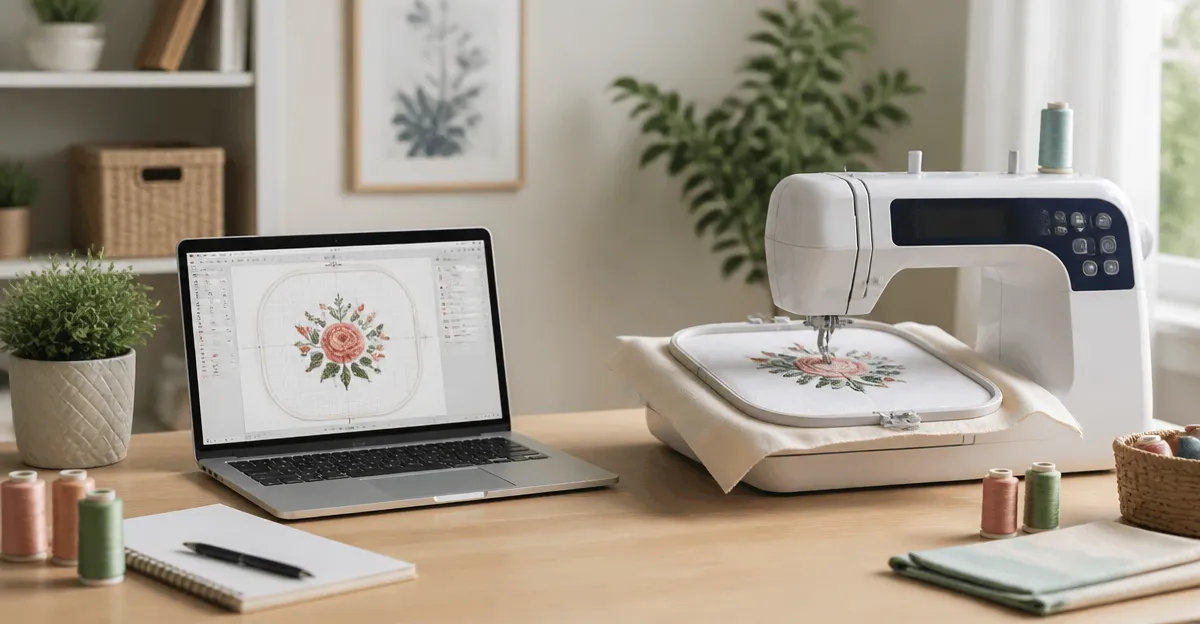
Compact embroidery software enables hobbyists to transform digital designs into tangible stitched art without requiring a full‑scale studio. This guide explains the essential concepts, evaluates leading tools, and provides actionable advice for selecting and using software effectively. Readers will learn foundational terminology, compare feature sets, and discover best practices that streamline the creative workflow. By the end of the article, one will be equipped to make informed purchasing decisions and to apply the software with confidence.
Background and Context
Machine embroidery originated as a commercial craft, but advances in personal computing have democratized the process for home enthusiasts. Modern software runs on Windows and macOS, offering updates that keep pace with operating‑system changes. Understanding stitch types, digitizing principles, and file formats such as .pes, .exp, and .bx is crucial before selecting a program. Familiarity with these basics reduces the learning curve and prevents common frustrations.
Understanding Compact Embroidery Software
Compact software is defined by a lightweight installation footprint, intuitive user interfaces, and the ability to run on standard laptops or desktops. It typically provides essential functions such as resizing, lettering, and basic stitch editing without the extensive toolsets of professional studio suites. The target audience includes hobbyists who desire reliable results while maintaining a modest budget. Selecting a solution that balances capability and simplicity is the cornerstone of a satisfying embroidery experience.
Core Features to Consider
When evaluating any embroidery program, one should examine compatibility, font handling, and automation features. Compatibility with the latest Windows and macOS versions ensures long‑term usability; most vendors now provide free downloadable updates and disk‑free installers. Font handling is critical for monograms and custom text, and the ability to import .bx fonts expands creative possibilities. Automation features such as automatic stitch recalculation when resizing designs save time and improve consistency.
For hobbyists seeking a robust yet affordable entry point, Embrilliance Essentials offers a solid foundation. It supports both Windows and macOS, provides automatic stitch recalculation, and includes 21 built‑in fonts along with support for additional .bx fonts. The software also allows users to save designs in machine‑specific formats and to export appliques for cutting machines such as ScanNCut. With a rating of 4.7 out of 5 from 1,230 reviews, users praise its ease of use and responsive customer service.
For those who wish to create original digitized designs, Embrilliance StitchArtist Level 1 provides a focused set of stitch types that simplify the learning process. The program includes automatic placement guides for appliques, material tacking stitches, and top‑stitching options. Users can trace images to generate filled‑shape designs, which is valuable for custom motifs. Its rating of 4.6 out of 5 from 350 reviews highlights its value for hobbyists who want to digitize without overwhelming complexity.
Font organization can become a bottleneck for designers who maintain extensive collections. Embrilliance AlphaTricks addresses this need by offering powerful font management tools, including naming, sorting, filtering, and tagging capabilities. The software maps individual letter designs to fonts, enabling direct typing within the Embrilliance platform. With a price of $105.56 and a rating of 4.5 out of 5 from 93 reviews, it is recognized for saving hours of manual font handling.
Advanced stitch editing and knockdown stitching are essential for projects involving stretchy fabrics. Embrilliance Enthusiast delivers automatic knockdown stitches, design splitting for multiple hoops, and precise positioning tools. The suite also supports repeat patterns, mirrored layouts, and carousel scattering, which are useful for creating complex motifs. Its rating of 4.4 out of 5 from 221 reviews confirms its suitability for serious hobbyists who need advanced control.
Finally, managing a large library of design files becomes effortless with Embrilliance Thumbnailer. This utility generates realistic 3D thumbnails directly in Windows Explorer or macOS Finder, allowing rapid visual identification of designs. It supports a variety of file formats, including .svg and vinyl cutting files, and operates without a physical CD drive. Users commend its ability to transform file browsing into a visual experience, and its rating of 4.5 out of 5 from 694 reviews reflects broad satisfaction.
Comparison and Selection Guide
Choosing the right software depends on three primary criteria: budget, required feature set, and intended workflow. Hobbyists on a tight budget may prioritize essential functions such as resizing and lettering, making Embrilliance Essentials an attractive option at $139.00. Those who intend to digitize original artwork should consider Embrilliance StitchArtist Level 1, which offers tracing capabilities and a simplified stitch library for $169.00.
For users with extensive font libraries, Embrilliance AlphaTricks provides the most specialized tools, justifying its $105.56 price point. If a project involves heavy fabrics or multi‑hoop designs, Embrilliance Enthusiast supplies the necessary advanced stitch editing and knockdown features, also priced at $169.00. Finally, for designers who need efficient file management, Embrilliance Thumbnailer offers a low‑cost solution at $27.95.
The table below summarizes key attributes for quick reference:
| Product | Price (USD) | Rating | Core Strength | Best For |
|---|---|---|---|---|
| Embrilliance Essentials | 139.00 | 4.7/5 (1,230 reviews) | Resizing, lettering, machine format export | Beginners seeking reliable basics |
| Embrilliance StitchArtist Level 1 | 169.00 | 4.6/5 (350 reviews) | Simple digitizing, image tracing | Hobbyists creating original designs |
| Embrilliance AlphaTricks | 105.56 | 4.5/5 (93 reviews) | Font organization, mapping | Designers with large font collections |
| Embrilliance Enthusiast | 169.00 | 4.4/5 (221 reviews) | Knockdown stitching, advanced editing | Projects on stretchy or heavy fabrics |
| Embrilliance Thumbnailer | 27.95 | 4.5/5 (694 reviews) | Design preview thumbnails | Users managing extensive design libraries |
Best Practices & Tips
Maintain a consistent naming convention for design files to simplify searching and version control. Incorporate descriptive tags such as fabric type, stitch count, and theme, which align with the thumbnail preview functionality of Embrilliance Thumbnailer. Before resizing a design, duplicate the original file to preserve the source stitching data; this practice prevents irreversible loss of detail.
When working with fonts, always verify that the .bx font files are compatible with the current software version; applying the latest free update for Embrilliance AlphaTricks ensures full compatibility. Test knockdown stitches on a sample piece of fabric before committing to a final garment, as automatic knockdown may require slight manual adjustment for optimal tension. Finally, back up the serial numbers and installation files in a secure location to facilitate re‑installation on multiple computers, a feature supported across all Embrilliance titles.
Frequently Asked Questions
Q1: Do these programs run on both Windows and macOS?
All five products listed provide installers for the current versions of Windows and macOS, and free updates are offered to maintain compatibility.
Q2: Can I use the software on more than one computer?
Yes. Each license permits installation on multiple machines, and the serial number can be registered on each device without additional cost.
Q3: Is it necessary to purchase additional fonts separately?
While the Essentials package includes 21 fonts, users may acquire additional .bx fonts from third‑party creators to expand their typographic options.
Q4: Will these programs convert JPG images directly into embroidery files?
Only Embrilliance StitchArtist Level 1 offers image tracing to create stitch patterns; direct conversion of JPG to embroidery is not supported by Essentials or Thumbnailer.
Q5: How does knockdown stitching differ from regular stitching?
Knockdown stitching reduces stitch density on stretchy fabrics, preventing distortion and ensuring a smoother surface finish, a feature unique to Embrilliance Enthusiast.
Q6: Can I preview designs without opening the full software?
Yes. Embrilliance Thumbnailer generates 3D thumbnails that appear directly in the file explorer, allowing quick visual assessment.
Q7: Are there any hidden costs for updates?
All listed products provide free downloadable updates; no additional fees are required for future versions.
Conclusion
Compact embroidery software empowers hobbyists to achieve professional‑grade results while maintaining a manageable learning curve and budget. By understanding core features, aligning product strengths with project requirements, and applying best‑practice workflows, one can maximize creative output and minimize technical obstacles. The products highlighted in this guide represent a spectrum of capabilities, from essential lettering tools to advanced knockdown stitching and file management utilities. Selecting the appropriate combination will enable any embroidery enthusiast to embark on a rewarding creative journey.
Products Featured in This Guide
Embrilliance Essentials
Price: $139.00 | Rating: 4.7/5 (1,230 reviews)
Featured for its comprehensive resizing, lettering, and machine‑format export capabilities that serve as a solid foundation for hobbyists.
Embrilliance StitchArtist Level 1
Price: $169.00 | Rating: 4.6/5 (350 reviews)
Featured for its simplified digitizing tools, image tracing, and appliqué guides that enable hobbyists to create original designs without overwhelming complexity.
Embrilliance AlphaTricks
Price: $105.56 | Rating: 4.5/5 (93 reviews)
Featured for its powerful font organization and mapping tools that streamline typographic workflows for designers with extensive font collections.
Embrilliance Enthusiast
Price: $169.00 | Rating: 4.4/5 (221 reviews)
Featured for its advanced stitch editing, automatic knockdown stitching, and multi‑hoop design capabilities that address complex fabric projects.
Embrilliance Thumbnailer
Price: $27.95 | Rating: 4.5/5 (694 reviews)
Featured for its ability to generate visual thumbnails directly in file explorers, dramatically improving design library navigation.